
7 Fun Apps for Primary School Students: Engaging Learning Tools for Parents and Teachers
This blog explores 7 fun and interactive apps for primary school students, designed to make learning enjoyable and effective. From math practice with IXL to reading with Epic!, these apps offer personalized learning experiences that engage students while reinforcing key concepts. The post also highlights the benefits of school-wide access, ensuring that all students, regardless of background, can take advantage of these educational tools. Plus, it offers practical tips for parents and teachers to help students thrive academically in a stress-free way.
7/19/2026


As a teacher working with primary school students, I’ve seen firsthand how quickly children respond to technology when it’s used the right way. Many young learners today are already comfortable using tablets and phones, so incorporating educational apps into homework and classwork can make learning feel more natural and engaging for them.
At the same time, I know that homework can sometimes become a struggle—for both students and parents. Children may feel frustrated when they don’t understand a concept, and parents may not always know the best way to help. This is where thoughtfully chosen learning apps can make a real difference. In my experience, they can turn practice time into something interactive, confidence-building, and even enjoyable.
Below are seven practical ways I’ve seen students benefit from using mobile learning apps, especially in grades 1–5.
1. Interactive Math Practice (Grades 1–5)
Math is one subject where many students either gain confidence quickly—or lose it just as fast. Apps like Photomath and Khan Academy can be helpful because they show students how to solve a problem step by step rather than just giving them the answer.
In my classroom, I’ve seen students use these tools to reinforce:
Addition and subtraction (Grades 1–2)
Multiplication and division (Grades 3–4)
Fractions and word problems (Grades 4–5)
When students can follow guided explanations at their own pace, they feel less stuck and more confident trying similar problems on their own.
2. Vocabulary Building and Language Skills (Grades 2–5)
Vocabulary development is something I always emphasize because it directly affects reading comprehension and writing. Apps like Quizlet and Duolingo make vocabulary practice feel more like a short game than a task.
These are particularly helpful for:
Sight-word practice
ESL/ELL learners
Independent homework practice
Students enjoy seeing their progress over time, and that small sense of achievement can motivate them to keep learning.
3. Mind Mapping and Brainstorming (Grades 3–5)
One thing I notice with many elementary students is that they often have good ideas but struggle to organize them. Visual planning apps like Mind Meister and SimpleMind help students map out their thoughts before writing.
These tools are great for:
Story planning
Opinion writing
Simple research projects
By seeing their ideas visually connected, students often feel less overwhelmed and more ready to begin writing.
4. Reading and Audiobooks (Grades 1–5)
Not every student enjoys reading right away, and some benefit from hearing stories while following along with the text. Platforms like Audible and Libby give students access to audiobooks that support reading development.
I’ve found this especially helpful for:
Fluency development
Listening comprehension
Reluctant readers
Sometimes hearing a story performed well is what sparks a child’s interest in reading and story telling.
5. Collaborative Group Work (Grades 3–5)
Even younger students can learn valuable teamwork skills through shared digital projects. Tools like Google Docs and Microsoft Teams allow students to work together on writing assignments or presentations.
As a teacher, this makes it easier to:
Assign shared writing tasks
Monitor contributions
Provide feedback during the process
Students enjoy seeing their ideas come together as a group.
6. Study Games and Digital Flashcards (Grades 2–5)
Many students respond well to learning that feels like a game. Apps such as Brainscape and Cram use digital flashcards and repetition to help students remember important concepts.
These work well for:
Spelling practice
Math facts
Science and Social Studies vocabulary
Short practice sessions can be surprisingly effective when students return to them regularly.
7. Focus and Time Management (Grades 3–5)
Staying focused during homework time can be challenging for many students. One tool I’ve recommended to families is Forest, which turns focus time into a small challenge.
Students set a timer while they work, and a virtual tree grows while they stay on task. If they leave the app, the tree stops growing. It’s a simple idea, but it helps many students build better study habits.
Final Thoughts
In my experience, educational apps work best when they support—not replace—good teaching and parental guidance. When tools like Khan Academy Kids, IXL, and Epic! are used thoughtfully, they can create a personalized, supportive, and engaging learning environment.
For schools and families, shared or school-wide access to these tools can also help ensure that every student has the opportunity to benefit, regardless of background.
When used well, educational apps don’t replace teaching—they enhance it. They give students another pathway to practice skills, build confidence, and develop a genuine love of learning.
All app names mentioned are trademarks of their respective owners. This article is for informational and educational purposes only. No commission has been paid.
A primary school girl sitting at home, wearing headphones and looking at her phone while listening to a story on the Audible app.
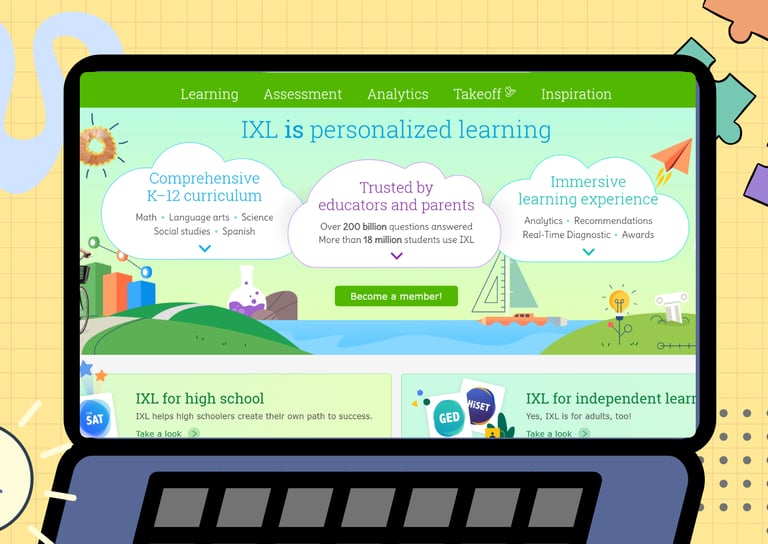
An interactive lesson for student on IXL